
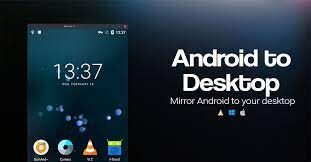

Features:
- Support data cable projection and WIFI wireless projection, customize the crop screen size, and record video files to the computer while projecting the screen
Use:
After downloading, extract to a certain location on the computer, then connect the data cable to the Quest all-in-one machine, click to start projection to project the data cable to cast the screen, if you want to switch the wireless projection, you need to make sure that the WIFI connected to your all-in-one machine and the computer are the same network, and then first start the wireless connection function .exe After the prompt is successful, unplug the data cable, and then start the projection .exe.
*Note: If there is sound on the projection computer, it is necessary to have an all-in-one v55 firmware or above
- $Download for freeDownload after commentDownload after login
- {{attr.name}}:
⚖️ Copyright Notice
If any game resources published on this site infringe upon your legal rights, please contact the administrator to remove the VRGoo website, Site resources are uploaded by users for personal study or testing, research, and use. Without permission from the original copyright author, use in any commercial channels is prohibited!
The resources on this site come from the internet; copyright disputes are unrelated to this site. You must completely delete the above content from your computer or other device within 24 hours of downloading. The user's statement that "does not represent the position of this site" has no relation to the site!
This site is a non-profit site. The VIP features are only for users to like the site, donate and reward, and provide technical assistance services. All content is not commercial activity.
If there is any infringement, please contact: vrgoo.org@gmail.com We will remove the product


Спасибо
f
works,.
g
Dfb
jjj
hh
..
Спасибо
good
good
Great app
Спасибо будем пробовать
Хочу. Спасибо! 8)
please update the link
Hi there