

[Version]: June 3, 2025
Update the latest version of the store v1.5.0.150
[Name]: Quest Game Tuner
[Genre]: Optimization tools, free downloads
[Platform]: Quest 2, Quest Pro, Quest 3, Quest 3S (all-in-one version)
[Network]: Requires network
[Refresh rate]: 120Hz
[Size]: 80MB
[Language]: English
Unlock the full power of your mission.
Quest Game Tuner
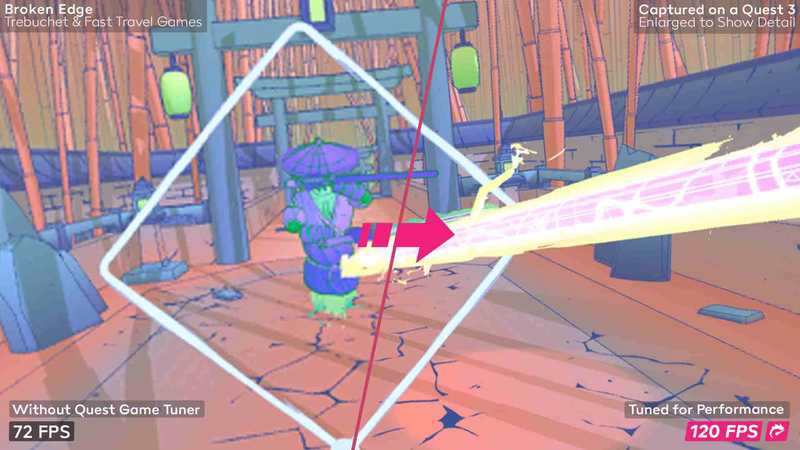
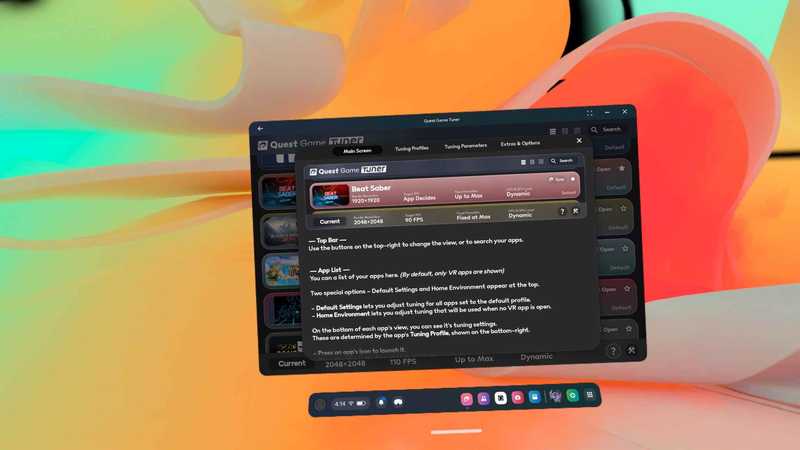
Improve your standalone VR experience by automatically adjusting hidden system parameters to increase resolution, frame rate, and more – across all your VR apps and games.
Meta limits application performance. Quest
Game Tuner
These limitations are broken, allowing you to make the most of your existing hardware.
You can also shoot better videos, block ads, prevent your headphones from draining their battery when not in use, and more. — Quest 3 and 3S owners can expect significant performance and resolution improvements in most games. Quest 2 users
OK
Expect Quest 3 level improvements in many games.
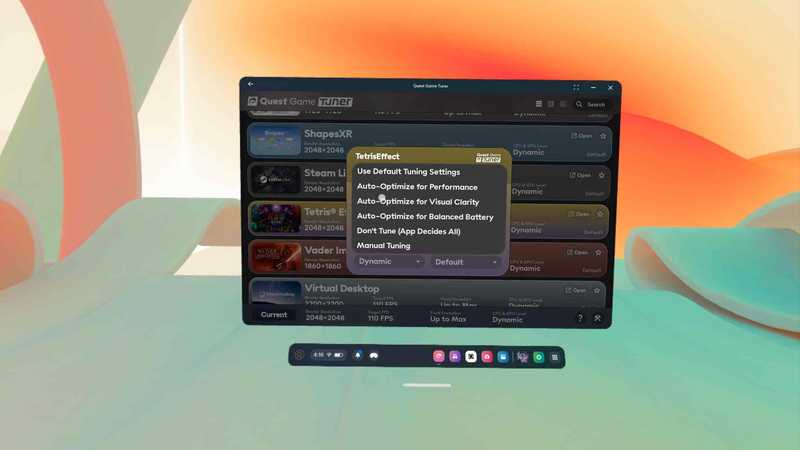
Automatically enhance every game
Automatically adjust configuration files
Any VR app or game is automatically optimized, letting you choose smoother ones with higher fps
Performance
, clearer with higher resolution
visual effects
or balanced
battery saving
.
Autotune uses highly optimized AI that runs entirely on your headphones.
Customize as you like
settings
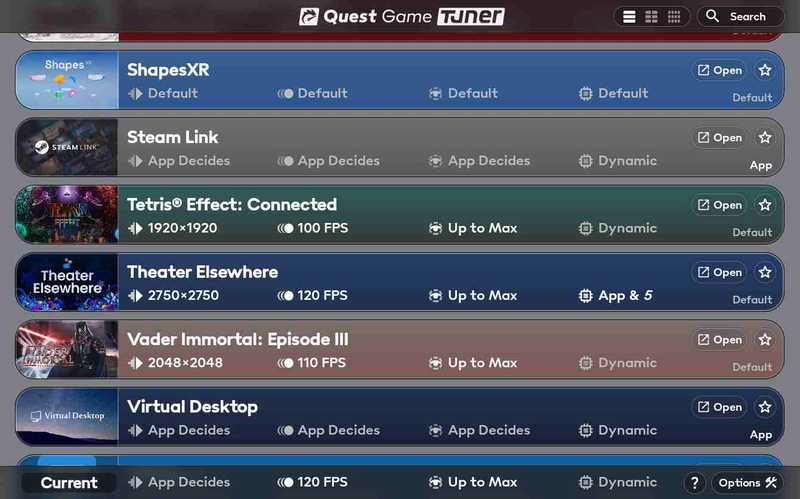
After Quest Game Tuner, every application will automatically adjust its performance. You can optimize each app individually or use
Default
Configuration files set up all apps at once.
Using custom adjustment settings, you can manually adjust
Horizontal and vertical resolution, FPS target, foveated level, CPU and GPU level
and
lens correction
.
Create better content
Quest Game Tuner also lets you adjust screen recording settings. Comprehensive adjustment
Aspect ratio, resolution, bitrate, frame rate
Wait – One-stop service
.
Additionally, side-by-side 3D capture
and
Unique stability options
Improve your recordings further.
More to come…
Install, switch and configure
OVR indicator tool
, which lets you monitor in-game performance
Easy switching via USB
Head detection
,
guard borders
and
ADB
.
Enable or disable for all apps
ad blocking
.
When you’re not using your device
Automatically shut down your device to keep your battery alive and healthy.
————————————————
Version update
Quest Game Tuner has been updated to 1.5.0 (https://threethan.itch.io/quest-game-tuner/devlog/850440/150-serviceless-mode-sorting-options-more). (LightningLauncher now has playtime integration with QGT)
1.4.0 and 1.4.1 have the following changes:
quality of life features
– You can now set Lightning Launcher to automatically open on startup or when the game is closed.
– You can now automatically close annoying apps on startup.
– Easily apply resolutions.
Fixes and improvements
– If you are using v71 or newer, 2D applications will now launch faster and more reliably.
– ADB-wifi will now activate more reliably without your input.
– The auto-shutdown feature is more reliable on newer Quest versions.
– Error reporting for connectivity issues should now be more helpful.
– Text spacing on the main application list has been improved.
– Improved inconsistent auto-launch issues on some Quest OS variants.
– Fix an issue where auto-tuning may fail or hang for some applications.
– Clarification of message when all adjustments settings are set to “Application decides all”.
– Fixed the issue where the “Show Play Time” setting does not apply.
Instructions for use
After downloading, use Magic Assistant to install it, then open it and manually enter xnifex to activate. After activation is completed, it will be the advanced unlocked version.
————————————————
- $Download for freeDownload after commentDownload after login
- {{attr.name}}:
⚖️ Copyright Notice
If any game resources published on this site infringe upon your legal rights, please contact the administrator to remove the VRGoo website, Site resources are uploaded by users for personal study or testing, research, and use. Without permission from the original copyright author, use in any commercial channels is prohibited!
The resources on this site come from the internet; copyright disputes are unrelated to this site. You must completely delete the above content from your computer or other device within 24 hours of downloading. The user's statement that "does not represent the position of this site" has no relation to the site!
This site is a non-profit site. The VIP features are only for users to like the site, donate and reward, and provide technical assistance services. All content is not commercial activity.
If there is any infringement, please contact: vrgoo.org@gmail.com We will remove the product